

Trying Apple Music in a New Chevy—What Do You Get Without CarPlay?
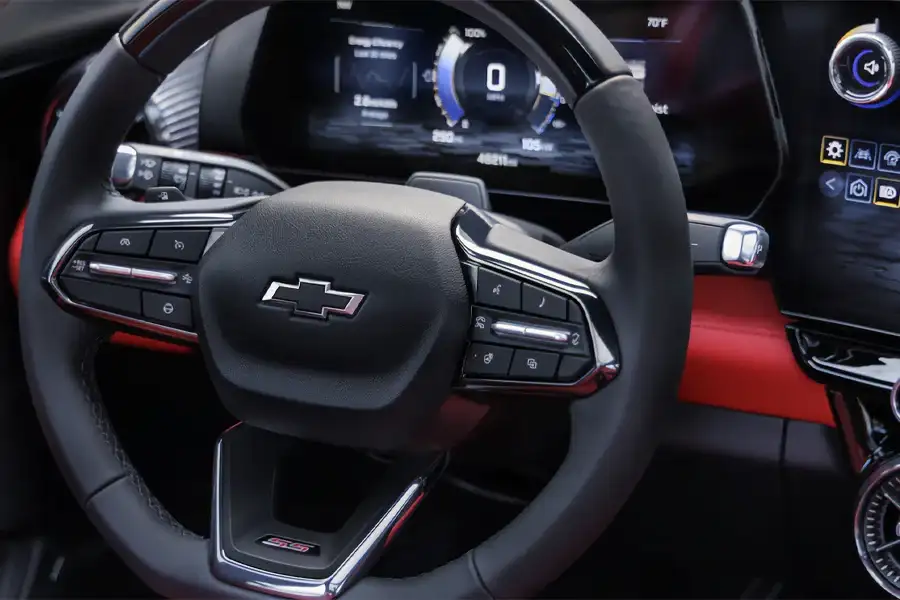
If Apple Music is your daily soundtrack, hearing it’s coming “built in” to new Chevy vehicles sounds like a win. And it is—GM is rolling out a native Apple Music app to select 2025–2026 Cadillac and Chevrolet models, even though Apple CarPlay still isn’t part of the plan on GM’s newer EV infotainment approach.¹
Here’s what that actually means day-to-day: what native Apple Music is great at, what it doesn’t replace, what most drivers do for maps and messages, and a quick “before you buy” checklist you can use on a test drive.
What “native Apple Music” means in your Chevy
With native Apple Music, the app runs right on the vehicle’s infotainment screen—so you’re not relying on CarPlay just to browse playlists or search an artist.
In real-life terms:
- Apple Music lives on the center screen, not mirrored from your iPhone
- Your phone can stay put (cupholder / pocket / charger)
- You can jump into music quickly—perfect for a short hop down Route 38 when you just want something playing without fiddling around
One important detail: Chevrolet says you need an Apple Music subscription or active trial to use the in-vehicle app.² (So it’s not “free Apple Music”—it’s Apple Music built into the car.)
What you don’t get without CarPlay
CarPlay isn’t just a music button. It’s the iPhone-friendly hub lots of drivers use for:
- The maps app they already trust
- Siri-based messaging and quick replies
- Familiar apps like Waze / Google Maps / podcasts (depending on your setup)
Without CarPlay, you’re solving the music experience—but you’re not automatically bringing your whole iPhone interface onto the dash. Car and Driver’s point is the practical one: you’ll either use the built-in navigation, or you’ll run navigation on your phone separately.¹
So what do drivers use instead for maps?
Option A: Commit to the built-in navigation
This is the cleanest setup—everything stays on one screen. The question is whether you like it enough to use it daily.
Test drive tip: Put in a route you actually do—like the run up I-93 or the back-and-forth you do all week—and see if the ETA, rerouting, and traffic info feel right.
Option B: Use your phone for navigation (mount it like a normal human)
If you’re loyal to your phone’s maps, the common workaround is simple: keep maps on the phone, and keep audio in the vehicle.
Real life: Apple Music on the dash, directions on the phone—especially handy when you’re bouncing between errands near Woburn Village and don’t want to relearn a new nav system.
What about texts, calls, and notifications?
Even without CarPlay, most drivers still get the basics:
- Hands-free calling (paired phone)
- Audio streaming
Text handling varies by vehicle/software and settings, so the best advice is to try it:
- Have a passenger send you a text during the test drive
- See if the vehicle offers read-aloud and voice reply, or just shows a notification
Set it up before you roll—especially if your “quick drive” turns into a longer loop around Horn Pond traffic.
Quick “before you buy” checklist for iPhone + Apple Music drivers
Apple Music setup
- Does the Apple Music icon show up on this specific vehicle? (Rollout is limited and can vary by model/software.)¹
- Do you have an Apple Music subscription or trial ready to sign in with?²
- Ask how OnStar Basics factors in for this model (what’s included, and what might cost later).¹
Maps & navigation
- Try a real destination you use weekly
- Decide now: built-in navigation, or phone-on-mount?
Calls & messages
- Pair your iPhone and make a call (mic clarity matters)
- Test a text alert + voice options (with a passenger)
Convenience
- Is there a comfortable place for your phone + charging?
- Are volume/skip controls easy on the wheel?
Want to test it the way you’d actually use it?
The fastest way to know if “native Apple Music, no CarPlay” is fine for you is to test-drive and run your normal routine: music, directions, a call, a text notification—everything.
If you’re shopping in the area, come by Nucar Chevrolet of Woburn (40 Winn St, Woburn, MA 01801) and we’ll help you compare trims and tech so you know exactly what you’re getting. Everyone loves a Nucar!
Footnotes
- Car and Driver, “GM Adds Native Apple Music, but Its EVs Still Don’t Get CarPlay”: https://www.caranddriver.com/news/a69739850/gm-adds-apple-music-still-no-carplay-evs/
- Chevrolet Support, “Learn more about the Apple Music in-vehicle app”: https://www.chevrolet.com/support/vehicle/entertainment/apps/about-apple-music
- Apple, “CarPlay”: https://www.apple.com/ios/carplay/
- caranddriver.com
- theverge.com
0 comment(s) so far on Trying Apple Music in a New Chevy—What Do You Get Without CarPlay?